Quality of Life
QUI’s Quality of Life section is the quiet hero of the addon. It bundles the small conveniences, reminders, and automation features that save time every single session.
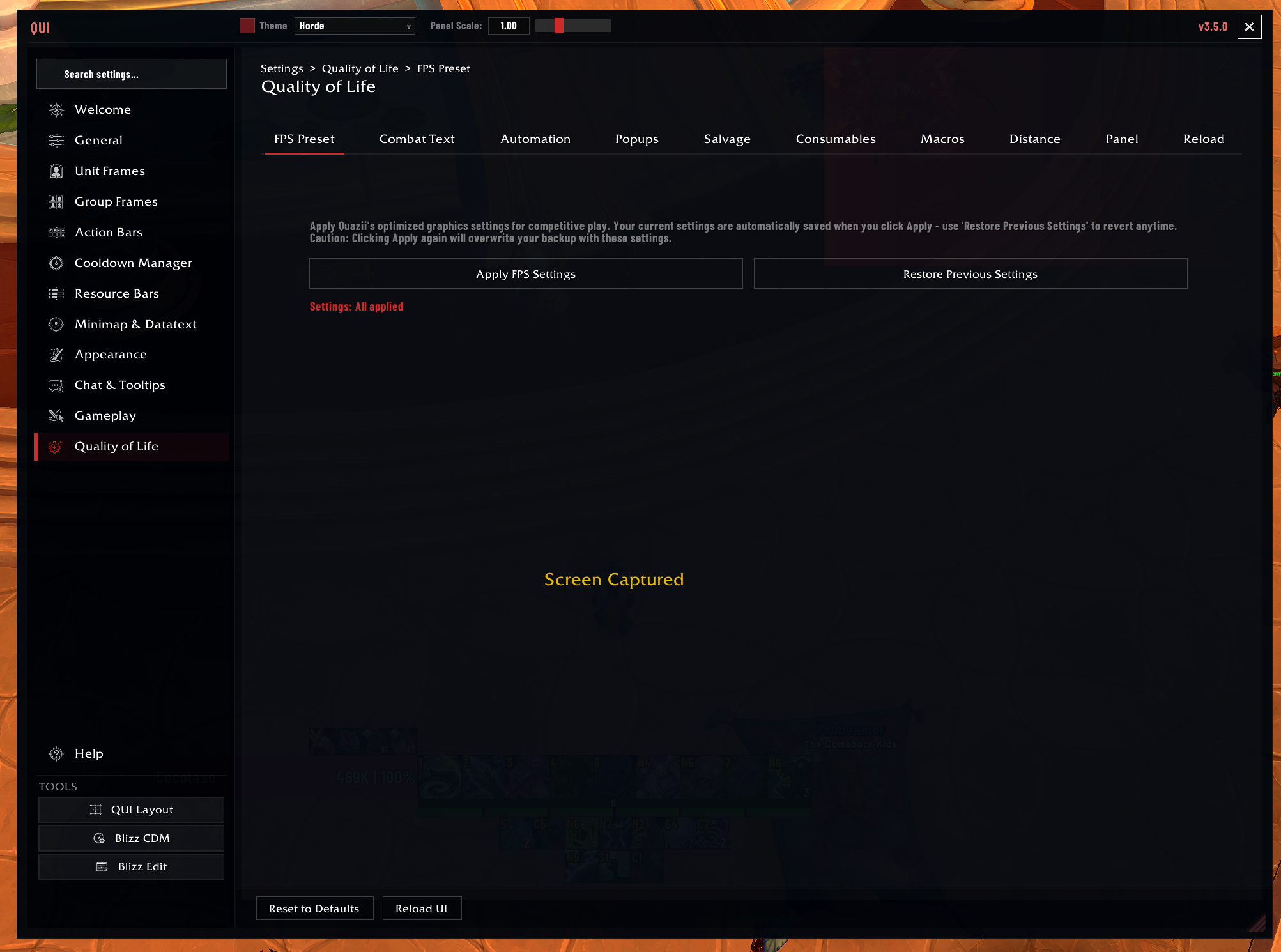 The Quality of Life tile is split into focused pages like FPS Preset, Combat Text, Automation, Popups, Consumables, and more.
Great First Picks
- Auto-sell junk
- Auto-repair
- Fast auto loot
- Consumable check for group content
- Popup or toast cleanup if you like a quieter screen
How to Enable
Most QoL features are individually toggled. To configure them:
- Open
/quiand navigate to Quality of Life.
What Lives Here
Vendor Automation
- Sell junk automatically – Sells all grey-quality items when you interact with a vendor (enabled by default).
- Auto repair – Automatically repairs gear at repair vendors. Options: off, personal gold, or guild bank funds.
Group Automation
- Auto role accept – Automatically accepts your assigned role when entering group content (enabled by default).
- Auto accept invites – Automatically accepts group invitations. Options: off, all invitations, friends only, guild only, or friends and guild.
Quest Automation
- Auto accept quests – Automatically accepts available quests from NPCs (disabled by default).
- Auto turn-in quests – Automatically completes and turns in finished quests (disabled by default).
- Hold shift override – When quest automation is enabled, holding Shift bypasses the automation so you can read quest text or choose rewards manually.
Looting and Interaction
- Fast auto loot – Speeds up the auto-loot process for faster item collection (enabled by default).
- Auto select gossip – Automatically selects the only available gossip option when talking to an NPC with a single dialogue choice.
- Auto delete confirmation – Automatically fills in the “DELETE” text when destroying items, removing the need to type it manually.
- Quick Salvage – Modifier-click to quickly salvage items without the usual confirmation flow. Default modifier is ALT. This is an opt-in feature that must be explicitly enabled.
Popup and Toast Blocker
Granular control over which Blizzard notification popups and toast alerts are suppressed:
- Talent alert popups
- Event toast notifications
- Mount collection alerts
- Pet collection alerts
- Toy collection alerts
- Cosmetic collection alerts
- Warband scene notifications
- Entitlement notifications
- Static popups (talent/housing related)
Pet Combat Warning
Warns you when your combat pet is missing or set to passive while in an instance. Applies to pet classes: Hunter, Warlock, Death Knight, and Mage (Water Elemental). This prevents accidentally entering combat without your pet contributing.
Focus Cast Alert
Warns you when your hostile focus target begins casting a spell and your interrupt ability is ready. Useful for interrupt assignments in group content.
- Alert text – Customizable warning text.
- Anchor and position – Control where the alert appears on screen.
- Font customization – Font face, size, and color.
Consumable Check
A pre-pull verification system that checks whether you have active food, flask, weapon oils, augment rune, and healthstone buffs.
- Trigger conditions – The check can trigger on ready check, dungeon/raid entrance, or after resurrection.
- Preferred consumables – Select specific consumables you want to use, so the check warns you if you are using the wrong tier of flask or food.
- Expiration warning – Alerts you when consumable buffs are about to expire.
Combat Text Indicator
Displays “+Combat” and “-Combat” text when entering and leaving combat.
- Custom colors – Independent colors for entering and leaving combat.
- Position – Control where the text appears on screen.
- Timing – Adjust how long the text remains visible.
Missing Raid Buffs Display
Shows icons for missing group-wide buffs (Intellect, Fortitude, Battle Shout, Mark of the Wild, etc.) so you can see at a glance which buffs your group is lacking.
- Icon size and spacing – Control the size and gap between buff icons.
- Grow direction – Choose which direction the icons expand.
- Border styling – Customizable border around each icon.
- Buff count – Displays the number of missing buffs.
- Provider mode – Shows which class/spec can provide each missing buff.
Chat Sound Alerts
Configurable sound alerts for chat messages with LibSharedMedia support for custom alert sounds.
Auction House Expansion Filter
Adds a simplified expansion filter to the Auction House interface for easier browsing.
Buff/Debuff Border Styling
Customizes the appearance of buff and debuff borders on unit frames and other displays.
- Border size – Adjust the thickness of buff/debuff borders.
- Font customization – Font face, size, and outline for duration and stack count text.
Blizzard Frame Mover
Reposition default Blizzard UI frames by dragging them directly, without entering Edit Mode. This feature was added in v2.54.0 and provides quick, persistent frame adjustments for elements that Blizzard’s Edit Mode may not expose.
For details, see the Blizzard Frame Mover feature page.
Important Settings
| Setting | Description | Default |
|---|---|---|
| Sell junk | Auto-sell grey items at vendors | Enabled |
| Auto repair | Repair gear automatically (off/personal/guild) | Off |
| Auto role accept | Accept role assignments automatically | Enabled |
| Auto accept invites | Accept group invites (off/all/friends/guild/both) | Off |
| Auto accept quests | Accept quests automatically | Disabled |
| Auto turn-in quests | Turn in quests automatically | Disabled |
| Fast auto loot | Speed up auto-loot | Enabled |
| Quick Salvage | Modifier-click salvage (opt-in) | Disabled |
| Quick Salvage modifier | Which modifier key for salvage | ALT |
| Consumable check triggers | When to check consumables | Ready check |
| Pet combat warning | Warn about missing/passive pet | Enabled |
| Focus cast alert | Warn about focus target casts | Disabled |
| Missing raid buffs | Show missing group buff icons | Enabled |
Recommended Setup Ideas
The consumable check is invaluable for Mythic Plus and raiding. Set it to trigger on ready check so you get a clear reminder of any missing buffs before every pull. The preferred consumable selection ensures you are warned if you accidentally used a lower-tier flask or food.
Quick Salvage is disabled by default because modifier-click salvaging can lead to accidental item destruction if you are not careful. Enable it only if you are comfortable with the risk, and make sure you choose a modifier key you will not accidentally press while doing other tasks.
The popup and toast blocker is highly configurable. If you find Blizzard’s mount/pet/toy collection alerts disruptive during gameplay, you can suppress them individually without losing other useful notifications like talent alerts.
The focus cast alert works best when you have a hostile focus target set for your interrupt assignment. In Mythic Plus, set your focus to the mob you are responsible for interrupting, and the alert will notify you the moment it begins casting and your interrupt is available.
The missing raid buffs display with provider mode enabled is especially useful for raid leaders. It not only shows which buffs are missing but also indicates which class or spec in your group can provide them, making it easy to call for buffs before a pull.